EasyAudio

Turn Any Article Into a High-Quality Listening Experience

Why EasyAudio Makes Your Articles More Impactful

By Henry Greene

Readers love audio versions of articles. They spend more time on your site, stay engaged longer, and share your content more often when they can listen while they read.

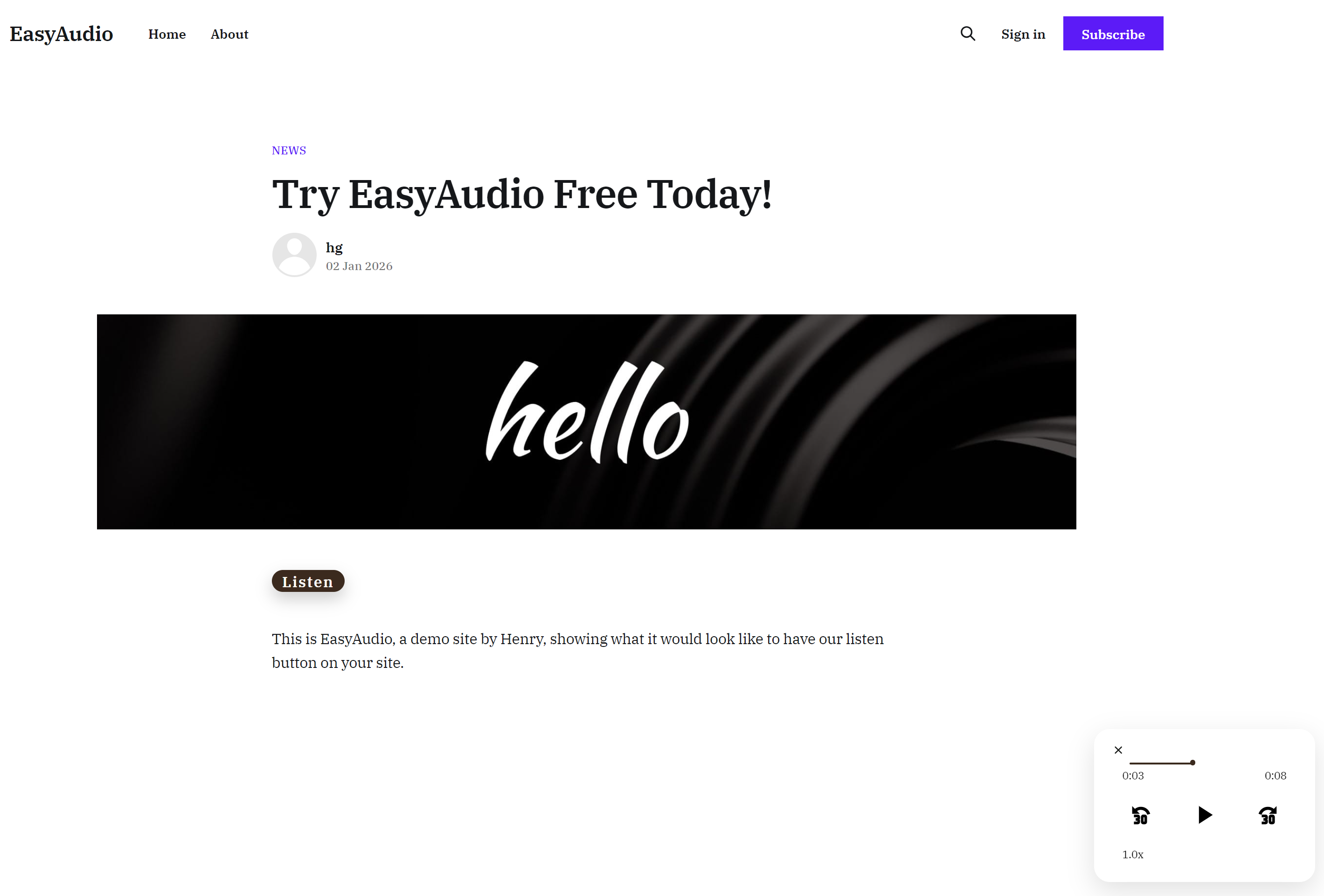
EasyAudio makes it effortless to add clean and natural voiceovers. When you add a single script to your page, every article on your site becomes instantly playable. A “Listen” button appears under the title, generates the narration, and plays it through the built-in mini-player. If you update the article, the audio updates automatically.

There are no extra steps in your publishing workflow. No exporting. No uploading. Everything runs quietly in the background and keeps all of your articles listenable at scale.

Simple Pricing for a Simple Player

One Week Free Trial

Try a 7 days free!
$0
  • Up to 10 article renders
  • EasyAudio mini-player on one site
  • Email support
Starter
For personal blogs & small newsletters.
$9/month
  • Up to 100 article renders / month
  • EasyAudio mini-player on one site
  • Email support
Publisher
For growing Substacks & content sites.
$29/month
  • Up to 500 article renders / month
  • Mini-player on up to 3 sites
  • Priority support

Why Publishers Use EasyAudio

A single script

One embed lights up a Listen button across every article template.

Automatic narration

We extract clean text, generate narration, and cache it for you.

Predictable costs

Pay once per new article render instead of every playback.

Works everywhere

Mobile, desktop, and tablet players load instantly with no extensions.

On-brand player

The inline mini-player adopts your fonts and palette automatically.

Zero maintenance

No file exporting or uploads. Update an article and the audio updates too.

Install EasyAudio in 30 Seconds

EasyAudio is designed to be installed by anyone who's ever added analytics or a script tag. If you can paste one line of code into your site template, you can install EasyAudio.

No plugin. No uploads. No engineering project.

How installation works

  1. Start your free trial

    After checkout, we email you a unique tenant key and your ready-made snippet.

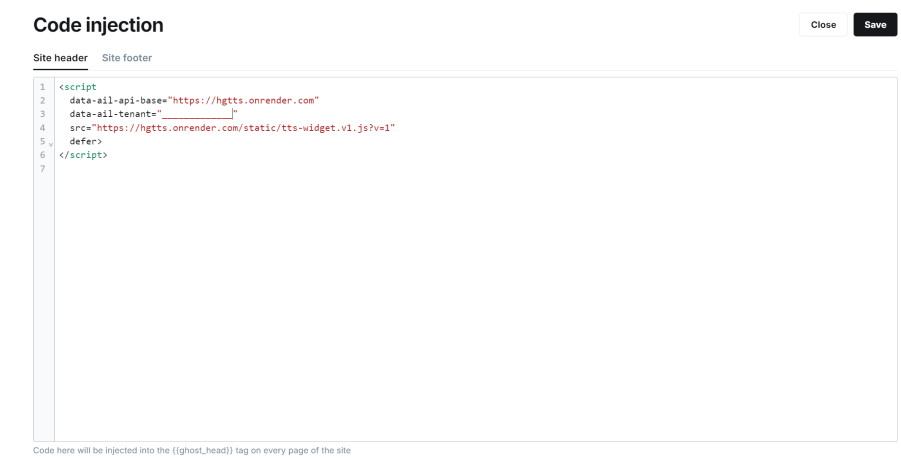
  2. Paste one snippet into your template

    Add the script to your site's layout or theme file, where you'd normally place analytics or other third-party scripts.

  3. Publish your site

    Visit any article—the Listen button appears under the title, and your mini-player pops up when readers press play.

That's it. Every article on your site now has a high-quality audio version, automatically.

Not technical? We'll install it with you.

If you don't manage your site template yourself, installation still isn't a blocker:

  • Forward our install email to your developer, or
  • Book a free 10-minute installation call and we'll do it together on Zoom.
Get free installation help

We'd rather spend 10 minutes helping you install than lose you because the code looks scary.

Developer snippet

If you're a developer, here's the exact snippet your install email will include (with your tenant key filled in):

<script
  data-ail-api-base="https://easyaudio.app"
  data-ail-tenant="YOUR_TENANT_KEY_HERE"
  src="https://easyaudio.app/static/tts-widget.v1.js">
</script>

Place this in your global template or just before </body> so it loads on every article page.

If you accidentally break anything while installing EasyAudio, we'll help you fix it. Just reply to your welcome email and we'll jump in.